How to change Lift-Off Distance (LOD)

Esports-News
Sep, 24 ,2020
29050
0
There are three Lift-Off Distance (LOD) settings - Low (Default), Medium and High. Based on the data from our sensor tests with a variety of mousepads, we chose low as the default setting which will be between 1.0~1.2mm. This range, in our opinion, is the optimal LOD. However we understand that people have different usage habits which is why we have three adjustable settings to suit different needs.

If you don’t encounter any issues while using the mouse, there is no need to change the LOD.

However if you encounter any of the situations below, we suggest you adjust the LOD to the Medium or High setting.
  • Can't get used to the feeling of the default LOD.
  • The cursor drags when you lift the mouse.
  • Feel the LOD is too slow after switching to 0.6mm mouse feet.
Instructions on how to change the Lift-Off Distance:
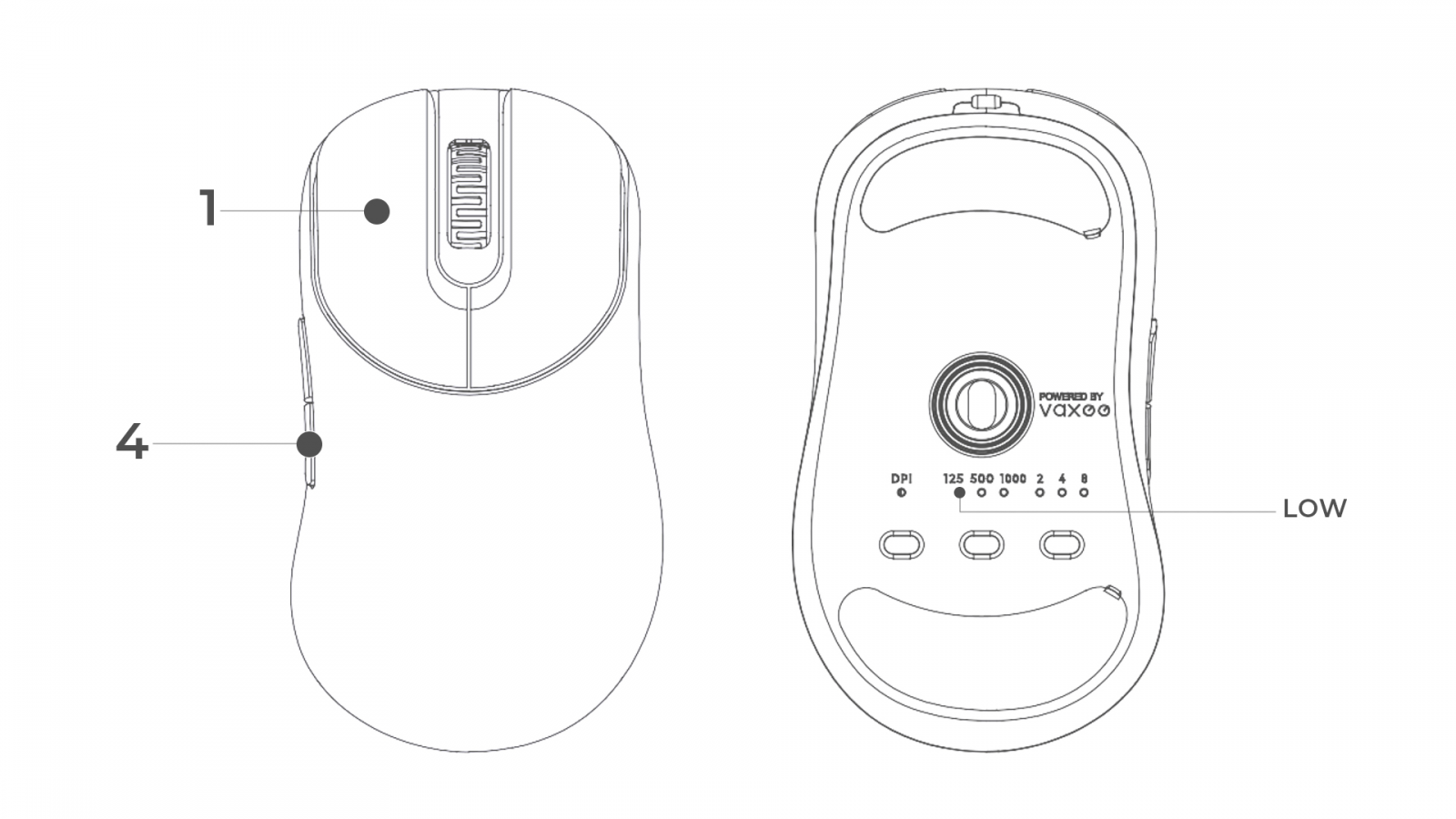
Low (Default)
  • Plug out the USB connector
  • Hold down the buttons of Mouse 1 + Mouse 4
  • Continue to hold the buttons down and plug in the USB connector
  • On the bottom of the mouse, one of the indicator lights for Polling Rate will blink twice
  • The mouse is now set to the Low LOD setting.

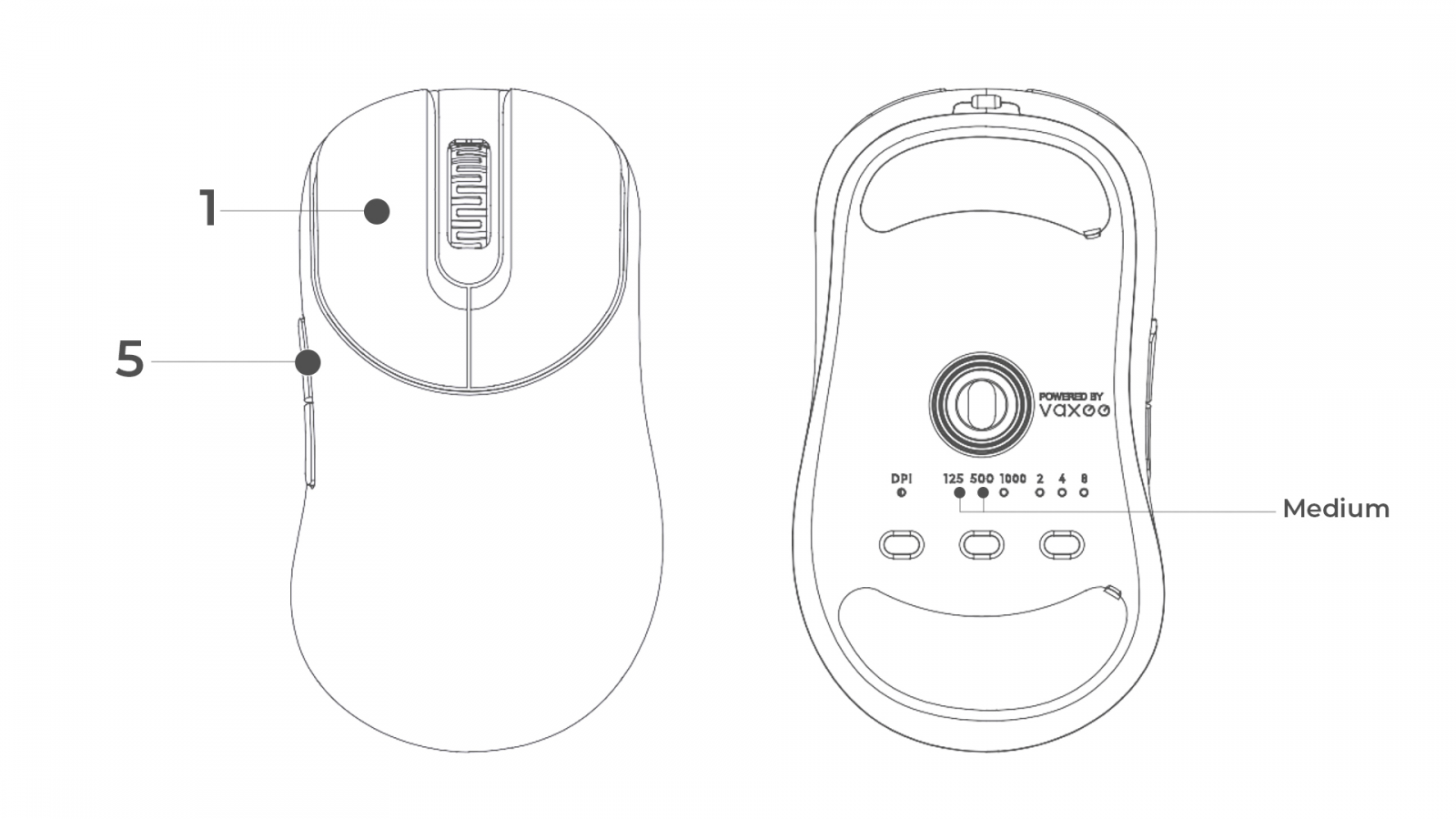
Medium
  • Plug out the USB connector
  • Hold down the buttons of Mouse 1 + Mouse 5
  • Continue to hold the buttons down and plug in the USB connector
  • On the bottom of the mouse, two of the indicator lights for Polling Rate will blink twice
  • The mouse is now set to the Medium LOD setting.

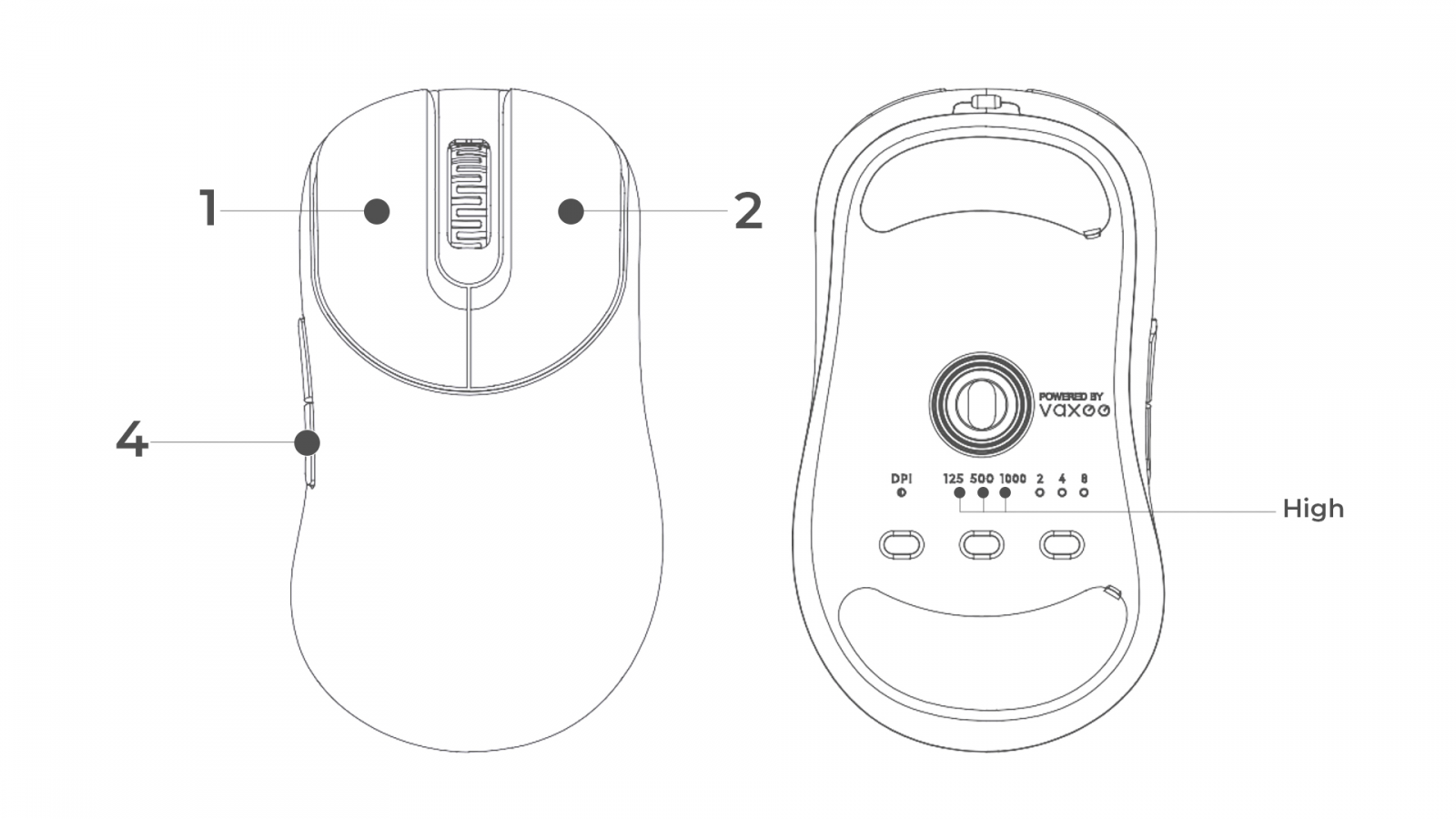
High
  • Plug out the USB connector
  • Hold down the buttons of Mouse 1 + Mouse2 + Mouse 4
  • Continue to hold the buttons down and plug in the USB connector
  • On the bottom of the mouse, all three of the indicator lights for Polling Rate will blink twice
  • The mouse is now set to the High LOD setting.
Member Nickname
Edit Nickname

Extended reading

See more

Discontinuation of the ZYGEN Mousepads

Jul, 23 ,2026
Following the passing of ZYGEN founder Junya "noppo" Taniguchi, VAXEE removed the ZYGEN logo from our mice and their packaging. However, we retained the original artwork on the mousepads, as we regarded ZYGEN as both the product name and an integral part
See more

NP-01 Ergo Video Introduction and Sales Information

Jul, 16 ,2026
The NP-01S V3, released in April, received positive feedback from users and professional players for its "true-to-hand" tracking performance. Based on the same architecture, we developed the new NP-01 Ergo, a shape designed for users who prefer a slightly
See more

NP-01S V3 Now Available in Obsidian Black and White

Jun, 26 ,2026
For those who have been waiting for black and white versions, the new Obsidian Black and White colorways of the NP-01S V3 have now been shipped from our Taipei office to all regions.

Pre-orders will open tomorrow, June 27.

As a reminder, customers w
TOP